Loading
Almost there.
Discover the best FREE AI product photography prompts for jewelry. Generate high-end product shots for rings, earrings, necklaces, and luxury accessories using AI tools like Gemini and ChatGPT.
Template 1
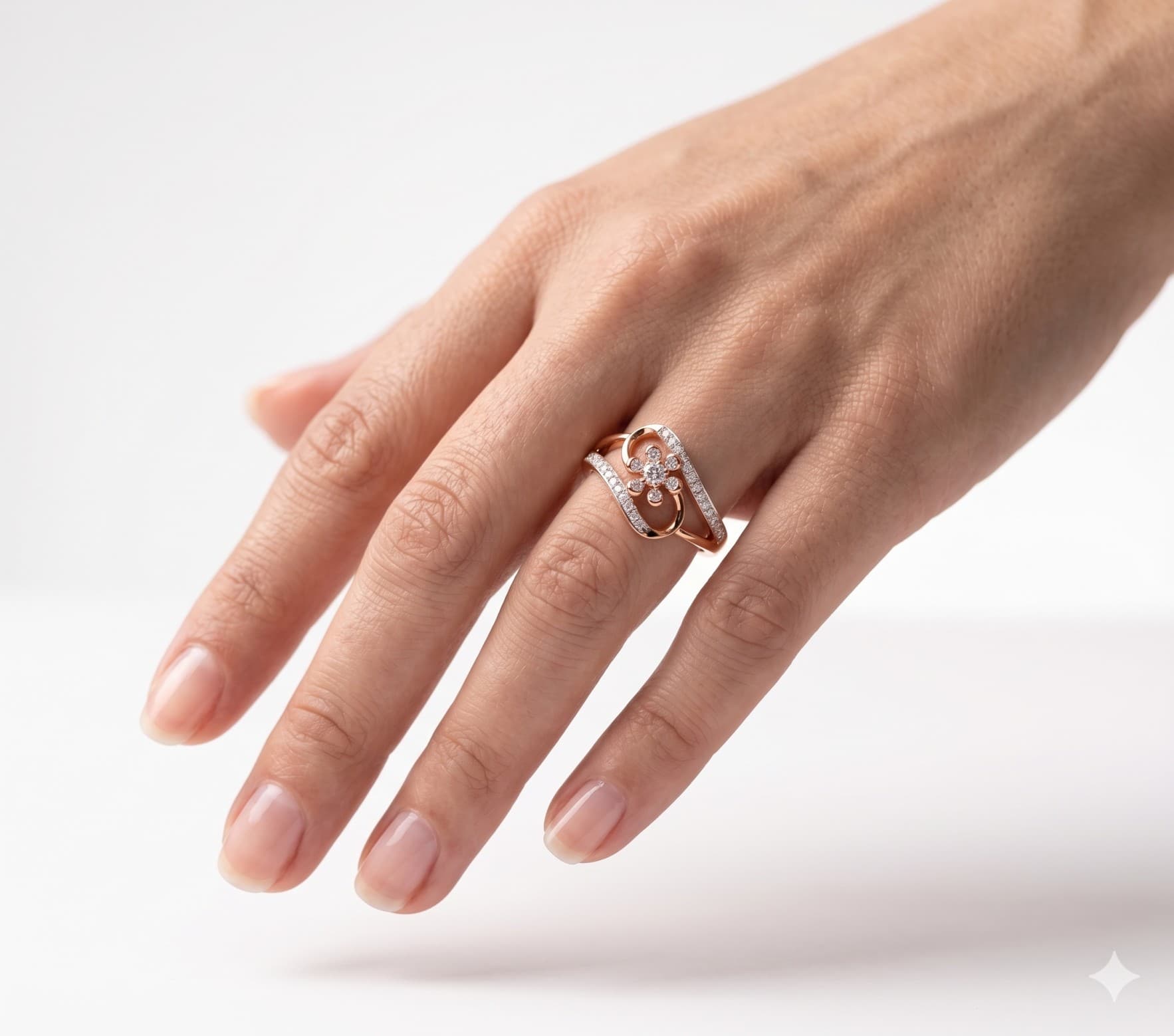
This high-end studio photograph captures a quiet, cinematic moment from a romantic hand-kissing perspective. An elegant female hand is gently lifted, showcasing its delicate texture under soft, directional lighting against a seamless white backdrop. Worn prominently on the fourth finger is the intricate rose gold and diamond floral swirl ring, rotated perfectly to match the hand’s graceful angle. The shallow depth of field ensures the sparkling diamonds are in sharp focus, while the rest of the setting fades into a gentle blur.


Layer 1: White studio background, soft seamless backdrop. Layer 2: Clean, minimalist studio setting. Hand is gently lifted and suspended in the air, tilted at a low angle toward the camera, capturing a romantic hand-kissing POV. Layer 3: Elegant female hand, fingers softly relaxed, lifted in a graceful, delicate pose as if being held. Layer 4: A specific reference ring worn on the hand. DO NOT CHANGE RING FEATURE, JUST ROTATE IT AND PLACE IT ON HAND JUST LIKE IT WORN. The ring is prominently visible from this raised perspective. Layer 5: High-end studio photography lighting, soft key light highlighting the texture of the hand and the sparkle of the ring, shallow depth of field, cinematic and intimate aesthetic. Negative Prompt: (none)
Template 2
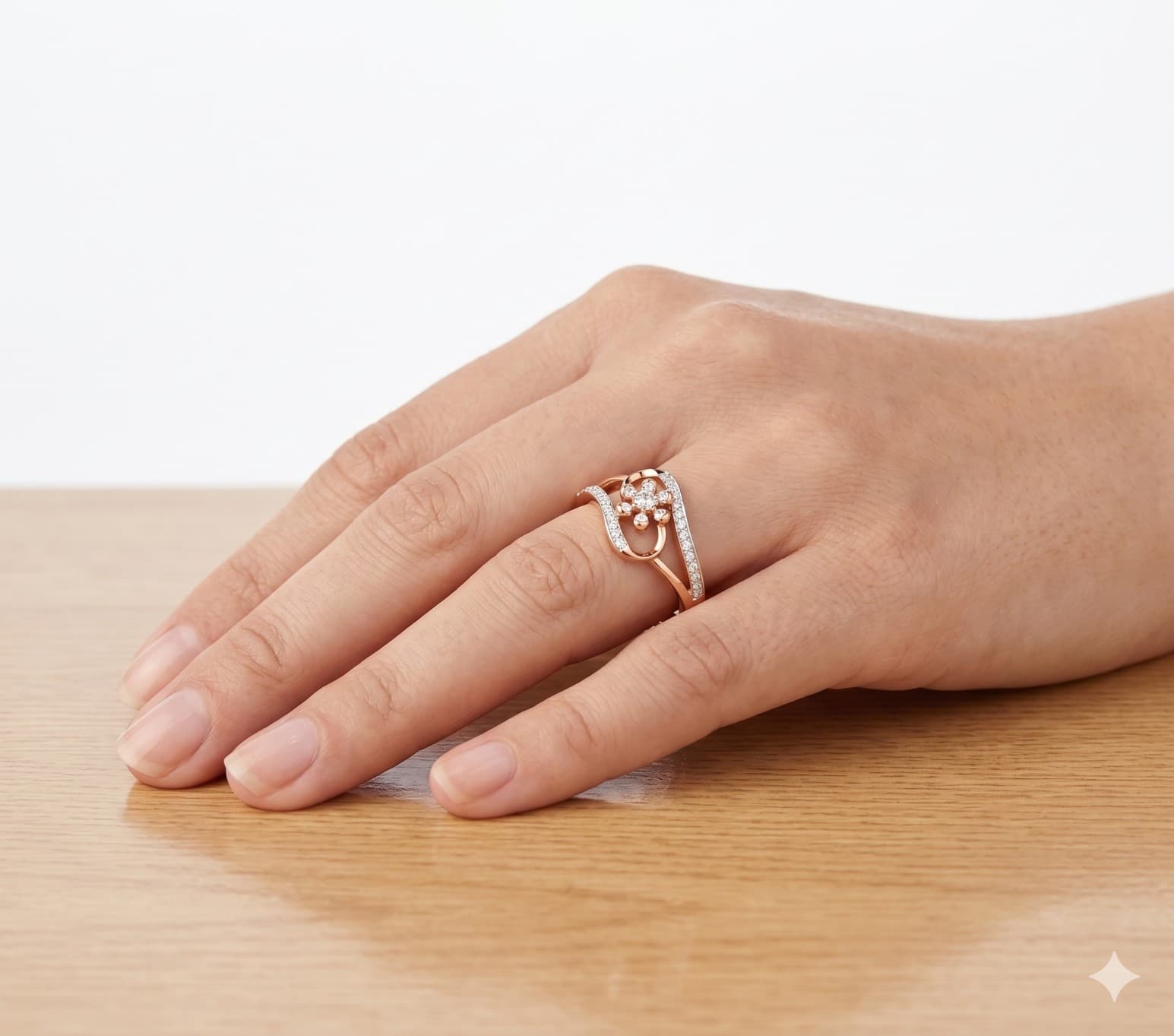
Capture the elegant simplicity of a single jewelry piece—like this delicate rose gold diamond floral ring—worn gracefully on a hand with natural, unpolished nails. The scene is bathed in soft, diffused light, highlighting the brilliance of the diamonds and the warmth of the wood grain against a clean white background. This prompt is perfect for creating sophisticated social media posts, lookbooks, or website banners that celebrate the beauty of handcrafted jewelry and minimalist aesthetic.


How To Use
Start with the base prompt as written, then personalize it after you see the first result.
Copy the prompt
Start with the original wording first so you can see the intended output before making changes.
Go to model mentioned below
Open the recommended model first so the prompt behaves the way this template expects.
Paste prompt with 1 or 2 images
Layer 1: White studio background. Layer 2: Simple table surface for the hand to rest on. Layer 3: Female hand gently placed on the table. Layer 4: A specific reference ring worn on the hand. DO NOT CHANGE RING FEATURE, JUST ROTATE IT AND PLACE IT ON HAND JUST LIKE IT WORN. Layer 5: Clean studio photography lighting and aesthetic. Negative Prompt: (none)
Add your reference images if needed, then refine the output after the first generation.